
Css Gradient Generator
CSS gradients replace background images for everything from subtle button shading to bold hero sections — and they scale perfectly and weigh nothing. This generator lets you add colour stops, choose linear, radial or conic, set the angle or centre, and see the result live on a card, a button and gradient text, then copy the CSS in one click.
- Free to use
- No sign-up
- Runs in your browser
CSS gradient generator
CSS Gradient Reference Pack
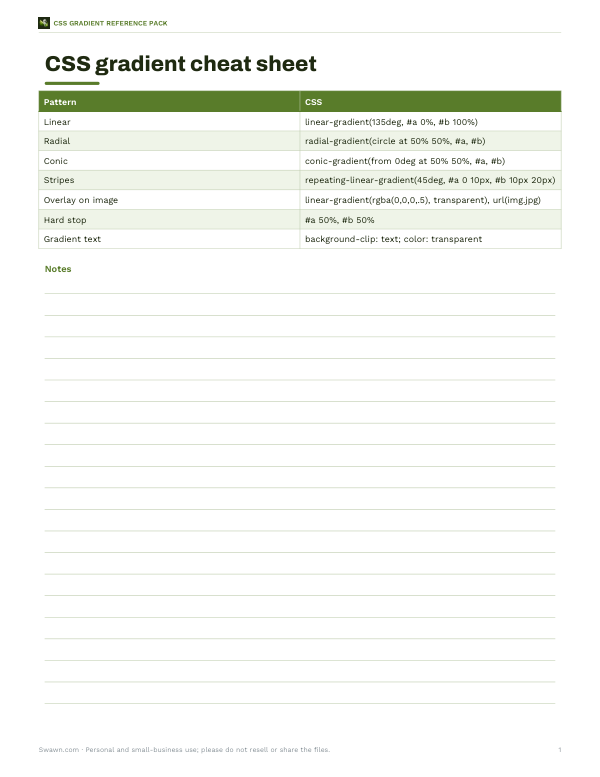
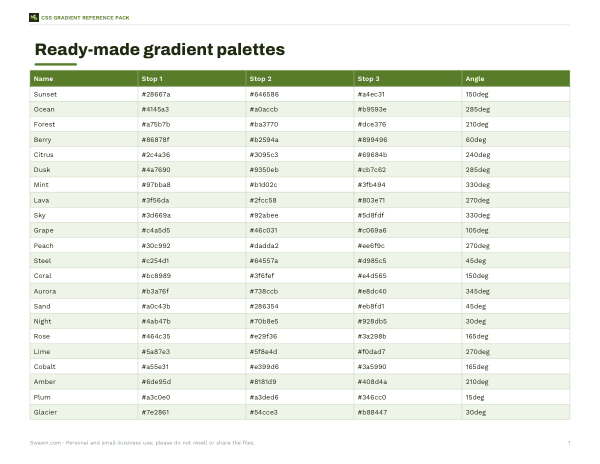
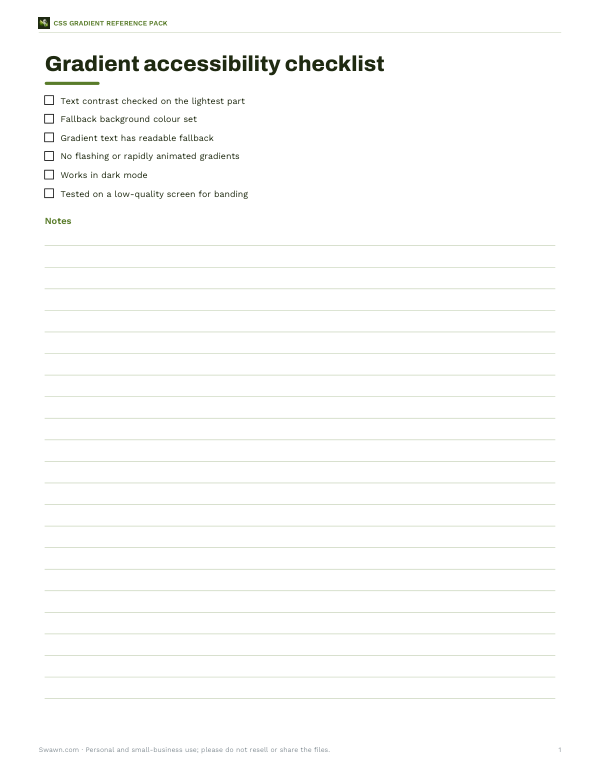
Printable CSS gradient cheat sheet, 24 ready-made gradient palettes with hex codes, an accessibility contrast checklist and a design token template.
- Cheat sheet (PDF)
- Palettes (PDF/XLSX)
- Accessibility checklist (PDF/DOCX)
- Token template (PDF/DOCX/XLSX)
Formats: PDF, XLSX, DOCX. Instant download after payment (link valid 72 hours, up to 5 downloads). AI-assisted: the templates were drafted with AI help and reviewed and laid out before publishing.
$5.00 USD, one-time 4 files · about $1.25 each
- Instant download
- 7-day refund
- Secure checkout by Stripe
7-day money-back guarantee. Full refund within 7 days of purchase, even after you download.
Free sample: CSS Gradient Cheat Sheet (PDF, 56 KB)
Full refund within 7 days — see the refund policy and license.
Free printables
Single sheets you can print right now, no sign-up. The full pack adds every sheet in one download plus the editable files.
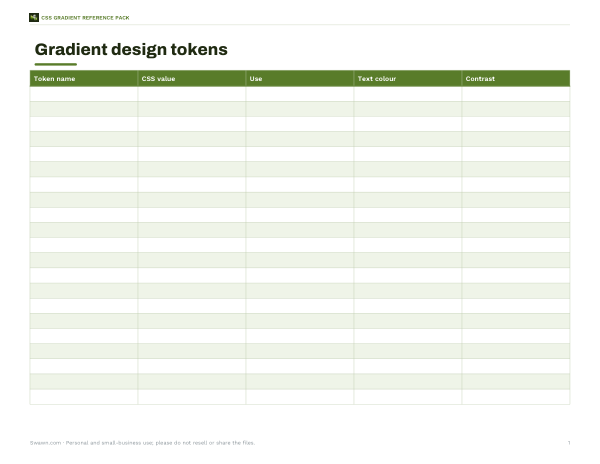 Gradient Design Token Template
Three kinds of CSS gradient
| Type | Syntax example | Looks like |
|---|---|---|
| Linear | linear-gradient(135deg, #ff7e5f 0%, #6a82fb 100%) | Colours change along a straight line |
| Radial | radial-gradient(circle at 50% 50%, #fff 0%, #000 100%) | Colours spread out from a centre point |
| Conic | conic-gradient(from 0deg, red, yellow, green, blue, red) | Colours sweep around a centre, like a colour wheel or pie chart |
| Repeating variants | repeating-linear-gradient(45deg, #000 0 10px, #fff 10px 20px) | Stripes and rings |
All modern browsers support these functions. Gradients are images in CSS, so they go in background-image (or the background shorthand) and can be layered with other backgrounds.
Angles and direction
In linear gradients, 0deg points up and angles go clockwise: 90deg runs left to right, 180deg top to bottom, 135deg from top-left to bottom-right. Keywords work too: “to right”, “to bottom left”. Conic gradients use “from” to set the starting angle and “at” to set the centre.
Colour stops and hard edges
| Technique | CSS | Effect |
|---|---|---|
| Even blend | red, blue | Smooth transition across the whole element |
| Positioned stops | red 20%, blue 80% | Solid ends with a blend in the middle |
| Hard stop | red 50%, blue 50% | A sharp line — no blend |
| Transparency | rgba(0,0,0,.6), transparent | Overlay that fades out, e.g. over photos |
| Colour hint | red, 30%, blue | Moves the midpoint of the blend |
Worked example
A designer wants a warm-to-cool hero background. With three stops — coral #ff7e5f at 0%, peach #feb47b at 50% and periwinkle #6a82fb at 100% — at 135 degrees, the generator produces: background-image: linear-gradient(135deg, #ff7e5f 0%, #feb47b 50%, #6a82fb 100%); with background-color: #ff7e5f as a fallback. The contrast note shows that white text on the lightest stop (peach) doesn’t meet the usual accessibility threshold, so the designer uses dark text, or adds a darker overlay behind the heading.
Avoiding banding and muddy middles
- Blending two complementary colours (for example orange and blue) can pass through a dull grey middle; add an intermediate stop in between.
- Gradients in the oklch or oklab colour spaces (supported in modern browsers via “in oklch”) often blend more evenly.
- Very subtle gradients over large areas can show visible bands on some screens; slightly more contrast or a little noise texture helps.
- Keep text on the most uniform part of the gradient.
Gradient text and borders
Gradient text uses background-clip: text with a transparent text colour, as in the preview. Always keep a readable fallback colour in case clipping is not supported. For gradient borders, a common approach is a gradient background on the element plus an inner element with a solid background, or the border-image property for simple cases.
Layering gradients with images and other gradients
Because gradients are images, you can stack several in one background declaration, separated by commas; the first one listed sits on top. A frequent pattern is a semi-transparent dark gradient over a photo so white headline text stays readable: background-image: linear-gradient(rgba(0,0,0,.55), rgba(0,0,0,.1)), url(hero.jpg). Another is combining a radial glow in one corner with a subtle linear gradient across the whole section. You can also size and position each layer separately with background-size and background-position, which is how repeating patterns such as checkerboards, grids and polka dots are built from pure CSS without any image files. Keep layered backgrounds readable in your code by putting each layer on its own line.
Using gradients in design systems
- Store gradients as custom properties, for example --gradient-brand, so buttons, cards and headers share the same definition.
- Name them by purpose (brand, success, surface) rather than colour, so a rebrand only changes one line.
- Define a dark-mode variant inside a prefers-color-scheme media query instead of reusing light-mode colours.
- Document which text colour is approved on each gradient and the contrast it achieves.
- Avoid more than two or three gradients in one interface; they compete for attention.
Animating gradients
Browsers cannot smoothly transition directly between two gradient images in every case, so animated gradients usually move the background instead: set a background-size larger than the element, such as 200% 200%, and animate background-position with keyframes. Registered custom properties (via @property) allow individual colour stops or angles to animate smoothly in browsers that support them. Keep motion slow and subtle, and respect the prefers-reduced-motion setting by turning animation off for people who have asked their system to reduce motion.
Accessibility
Contrast guidelines (WCAG) ask for at least 4.5:1 between normal text and its background, 3:1 for large text. On a gradient, check contrast against the lightest (or darkest) part behind the text, not the average. The generator reports the contrast of white text against each stop so you can choose text colours with confidence.
Privacy
Everything runs in your browser.
Frequently asked questions
How do I make a gradient in CSS?
Use background-image: linear-gradient(direction, colour1, colour2).
What is the difference between linear and radial gradients?
Linear changes along a line; radial spreads from a centre point.
How do I make a sharp line in a gradient?
Give two stops the same position, e.g. red 50%, blue 50%.
Can I use transparency in gradients?
Yes — use rgba(), hsla() or “transparent” as a colour stop.
How do I make gradient text?
Apply a gradient background, then background-clip: text and color: transparent.
Do CSS gradients work in all browsers?
Yes, in all modern browsers.
How do I put a gradient over an image?
List the gradient first and the image second in background-image, using a semi-transparent gradient.
Can I animate a CSS gradient?
Animate background-position on an oversized gradient, or use @property to animate registered custom properties.
What is a conic gradient used for?
Colour wheels, pie charts, loading spinners and angled sheen effects.